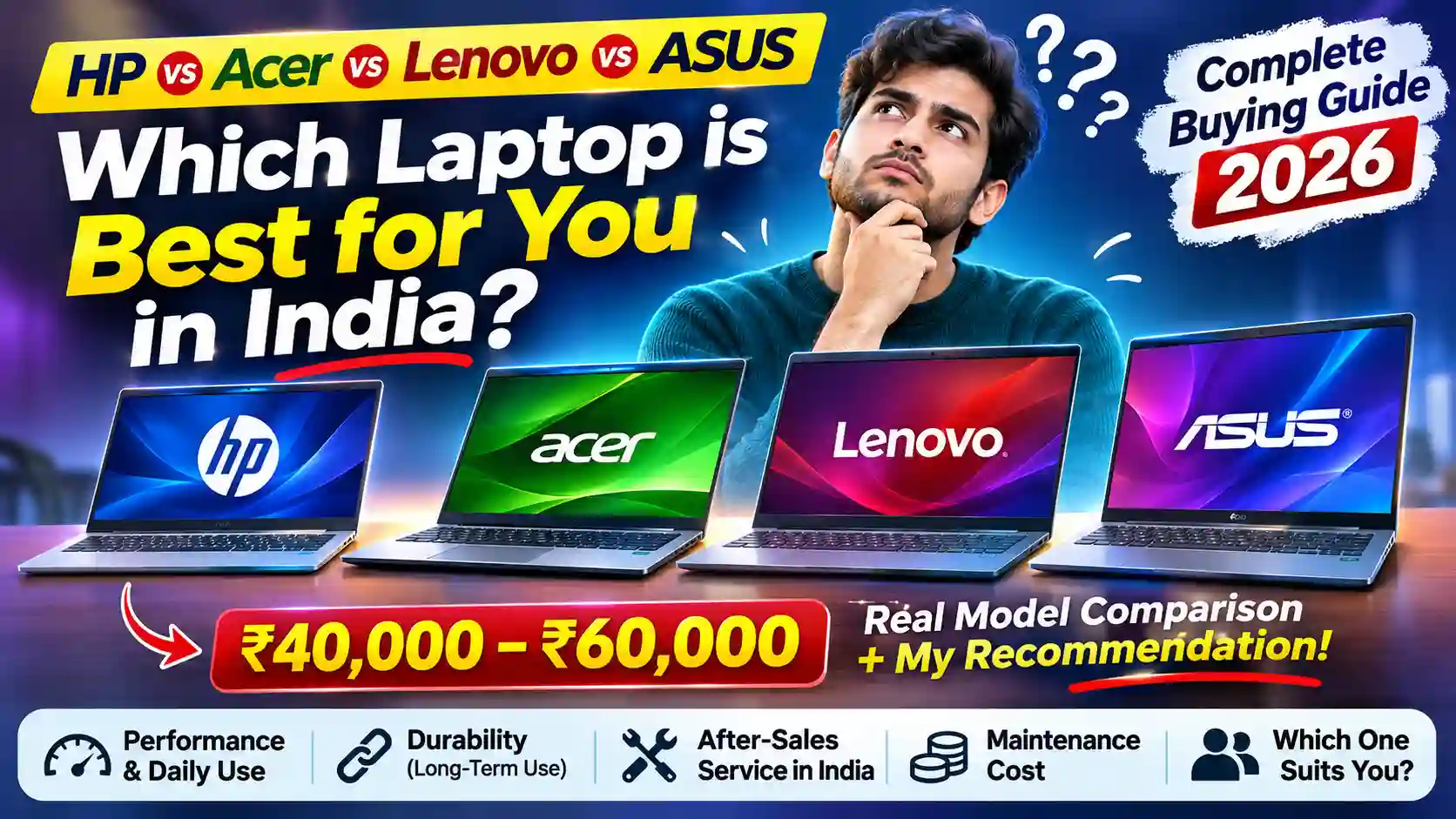
HP vs Acer vs Lenovo vs ASUS : Best Laptop Buying Guide in India 2026: HP vs Acer vs Lenovo vs ASUS – Which Brand Should You Choose Between ₹40,000 and ₹60,000?
Buying a new laptop is not as simple as comparing processors, RAM and storage. A laptop is a long-term investment, and nobody wants to spend ₹50,000 or ₹60,000 on a machine that starts creating problems after one or two years.
In India, four brands frequently appear on the shopping lists of students, working professionals, business owners and home users: HP, Acer, Lenovo and ASUS. All four offer laptops in different price segments, but they differ in design, performance, build quality, service experience, upgrade options and maintenance requirements.
One important question is: Which laptop brand offers the best value for money in India? Is HP worth paying extra for? Does Acer offer better specifications at a lower price? Is Lenovo a better option for long-term office work? And should you choose ASUS for its features and design?
In this detailed guide, we will compare these four brands from a practical Indian buyer’s perspective. We will also examine actual laptop models available in the ₹40,000–₹60,000 price range so that you can move beyond brand names and select a laptop that suits your requirements.
Note: Laptop prices mentioned below are indicative online-market prices observed in November 2026. They can change depending on the seller, bank offers, festive discounts and exact configuration. Always verify the complete model number and warranty before purchasing.
Table of Contents
1. What Should You Check Before Buying a Laptop?
Before comparing brands, understand which specifications actually matter. – HP vs Acer vs Lenovo vs ASUS
| Component | What should you look for? |
| Processor | Recent Intel Core 5/Core i5 or AMD Ryzen 5 and above |
| RAM | 16GB is preferable for long-term use |
| Storage | Minimum 512GB NVMe SSD |
| Display | Full HD IPS, preferably 300 nits or better |
| Battery | Around 45Wh or higher, depending on usage |
| Keyboard | Comfortable typing and a good touchpad |
| Connectivity | USB-A, USB-C, HDMI, Wi-Fi 6 or better |
| Warranty | Minimum one-year manufacturer warranty |
| Upgradeability | Check whether RAM and SSD can be upgraded |
Processor: Don’t select a laptop simply because it says Core i5 or Ryzen 7. Processor generation and series matter. A newer Core 5 U-series processor may be more suitable for everyday work than an older high-power processor, depending on the workload.
RAM: Today, 8GB RAM is acceptable for basic tasks, but 16GB is a better choice if you regularly work with Excel, multiple browser tabs, online meetings, programming or photo editing.
SSD: Avoid buying a laptop with only a traditional HDD as its primary drive. An SSD makes a noticeable difference in booting, opening applications and transferring files.
Display: A Full HD IPS display is generally a good starting point. Also check brightness and colour reproduction, particularly if you work with photographs or videos.
Also check whether Microsoft Office is included permanently, provided as a subscription or offered only as a trial. Do not assume that every Windows laptop includes a permanent Office license.
2. HP Laptops: A Good Choice for Home, Office and Business Users
Brand: HP (Hewlett-Packard)
Best suited for: Office work, students, business users and everyday computing.
HP is one of the most familiar laptop brands in India. Its popularity comes from its wide product range, established brand presence and availability of support options.
Advantages of HP laptops
- Build quality: HP offers different build qualities across its product families. Pavilion, Envy and EliteBook models generally target different levels of users. The basic HP 15 series is designed to provide affordable everyday computing.
- Performance: HP offers laptops with Intel and AMD processors. Its mid-range models can handle MS Office, Excel, browsing, online classes, accounting software and regular multitasking comfortably.
- Keyboard and usability: Many HP laptops provide comfortable keyboards and practical layouts, making them suitable for people who spend several hours typing.
- After-sales service: HP has an established support network in India. Customers can access warranty checks, troubleshooting and authorised service-centre information through HP Support.
- Business suitability: HP’s business-oriented ProBook and EliteBook families are worth considering for users who need additional business features.
Disadvantages of HP
- Some affordable models have average display brightness and colour reproduction.
- Entry-level configurations may offer only 8GB RAM.
- Premium HP models can be comparatively expensive.
- Replacement parts and out-of-warranty repairs can be costly, depending on the component.
Maintenance and durability: HP laptops can provide several years of service with proper care. However, don’t assume every HP model has the same durability. The hinge design, chassis material, cooling system and battery quality differ between product families.
My opinion: HP is a sensible choice if you want a familiar brand, good everyday performance and established support facilities. However, compare its specifications with competitors before paying extra for the brand name.
3. Acer Laptops: More Specifications at a Competitive Price
Brand: Acer
Best suited for: Students, budget-conscious buyers, office users and multitaskers.
Acer has built a strong position in India’s budget and mid-range laptop market. It is particularly attractive to buyers who want better processor specifications and RAM without spending too much.
Advantages of Acer laptops
- Competitive pricing: Acer frequently offers attractive processor and memory combinations in its Aspire and Aspire Lite series.
- Performance: Its Ryzen 5, Ryzen 7 and Intel Core i5 configurations can be suitable for multitasking, programming, office applications and light editing.
- Upgrade options: Some Acer models provide additional RAM slots or SSD expansion possibilities. However, this varies by exact model.
- Display options: Acer offers Full HD IPS panels in several models, although display quality varies between configurations.
- Product variety: Aspire, Swift, TravelMate, Nitro and Predator series serve different customer requirements.
Disadvantages of Acer
- Some budget models use relatively basic plastic construction.
- Speakers, webcams and display brightness can be average in affordable models.
- Service experience can vary depending on the availability of authorised service providers in your area.
- Certain models have limited battery life under demanding workloads.
Maintenance and durability: Acer’s budget laptops can be good value, but pay attention to hinge construction, keyboard flexibility and cooling performance. A powerful processor inside a thin, inexpensive chassis is not automatically a better long-term purchase.
My opinion: Acer is an excellent option for people who prioritise specifications and performance over premium looks. If you are a student, Excel user or regular office worker, Acer deserves serious consideration.
4. Lenovo Laptops: A Strong Option for Productivity and Long-Term Use
Brand: Lenovo
Best suited for: Business users, programmers, students, writers and office professionals.
Lenovo has earned a strong reputation in the laptop industry, particularly through its ThinkPad business laptops. Its IdeaPad and V-series models also attract buyers looking for practical computing devices.
Advantages of Lenovo laptops
- Keyboard experience: Lenovo is particularly known for the keyboard experience of its ThinkPad family. IdeaPad keyboards also provide practical typing layouts.
- Business productivity: Lenovo offers models suitable for spreadsheets, programming, accounting, presentations and everyday office work.
- Product variety: ThinkPad, IdeaPad, ThinkBook, Yoga and Legion cover different budgets and requirements.
- Upgrade possibilities: Several models offer SSD and RAM upgrades, although some slim laptops have soldered memory.
- Support options: Lenovo provides warranty checking, technical support, warranty extensions and additional protection plans.
Disadvantages of Lenovo
- Entry-level IdeaPad models may have average displays and plastic bodies.
- Some models offer soldered RAM, limiting future upgrades.
- Premium ThinkPad and Yoga models can be expensive.
- Battery backup differs considerably between processor configurations.
Maintenance and durability: Lenovo’s business-oriented ThinkPad models are particularly attractive for people who need a laptop for regular professional use. However, a budget IdeaPad should not be judged by the durability of a ThinkPad. They are different product categories.
My opinion: Lenovo is a strong choice for people who spend long hours working on computers. If your work involves Excel, data analysis, programming, documentation or business applications, Lenovo should be on your shortlist.
5. ASUS Laptops: Modern Design, Features and Performance
Brand: ASUS
Best suited for: Students, creative users, professionals and people who want modern features.
ASUS has become a popular laptop brand in India, particularly among young professionals, students and technology enthusiasts.
Advantages of ASUS laptops
- Modern design: ASUS Vivobook laptops often offer attractive designs, slim profiles and practical portability.
- Performance: ASUS provides different Intel and AMD processor options, including configurations suitable for demanding productivity work.
- Display technology: Certain models offer OLED displays, which provide excellent contrast and deep blacks. These are particularly attractive for entertainment and creative work.
- Additional features: Depending on the model, you may get a backlit keyboard, webcam privacy shutter, fast charging and useful software features.
- Gaming options: ASUS TUF and ROG series offer dedicated gaming laptops for users with higher performance requirements.
Disadvantages of ASUS
- Some affordable Vivobook models have average plastic construction.
- Repair costs for displays, motherboards and other components can be high.
- Specifications vary considerably between similar-looking models.
- Some configurations have limited RAM upgrade possibilities.
Maintenance and durability: ASUS offers several laptops with military-grade durability testing, but this certification is model-specific. It should not be assumed that every Vivobook has passed the same tests.
My opinion: ASUS is a good option if you want a combination of modern design, performance and features. However, check its service availability and repair options in your city before purchasing.
6. HP vs Acer vs Lenovo vs ASUS : Brand Comparison
Let’s compare the four brands across the factors that matter to Indian buyers.
| Factor | HP | Acer | Lenovo | ASUS |
| Overall brand presence | Strong | Strong | Strong | Strong |
| Budget options | Good | Excellent | Good | Good |
| Performance for price | Good | Excellent | Very good | Very good |
| Keyboard experience | Good | Good | Very good | Good |
| Design | Good | Good | Good | Very good |
| Business models | Excellent | Good | Excellent | Very good |
| Gaming range | Good | Very good | Very good | Excellent |
| Upgradeability | Model-dependent | Model-dependent | Model-dependent | Model-dependent |
| Service availability | Established | City-dependent | Established | City-dependent |
These are broad product-range assessments, not independently measured reliability scores. The actual laptop model matters more than the brand name.
7. Best Actual Laptop Models Between ₹40,000 and ₹60,000 in India
Now comes the most important part. Knowing the brand is useful, but ultimately you need to select a particular laptop.
The following four models provide a practical comparison across HP, Acer, Lenovo and ASUS.
1. HP 15 250R G10
Budget-friendly option : ₹48,500
Indicative listing price
- Intel Core 3 100U
- 16GB RAM
- 512GB SSD
- 15.6-inch Full HD display
- Intel UHD Graphics
2. Acer Aspire Lite AL15-41
Strong value for money : ₹56,990
Indicative listing price
- AMD Ryzen 5 5625U
- 16GB RAM
- 512GB SSD
- 15.6-inch Full HD display
- AMD Radeon integrated graphics
3. Lenovo IdeaPad Slim 3 82RK0085IN
Productivity focused : ₹59,499
Indicative listing price
- Intel Core i5-1235U (12th Gen)
- 16GB RAM
- 512GB SSD
- 15.6-inch Full HD display
- Intel Iris Xe graphics (configuration-dependent)
4. ASUS Vivobook 15 X1504VAP-BQ1543WS
Balanced configuration : ₹52,140
Indicative listing price
- Intel Core 5 120U
- 16GB DDR5 RAM
- 512GB SSD
- 15.6-inch Full HD display
- Intel integrated graphics
Prices and configurations are based on available Indian market listings, not guaranteed current checkout prices. Verify the exact SKU, display panel, RAM configuration and warranty before ordering.
Detailed specification comparison
| Specification | HP 15 250R G10 | Acer Aspire Lite | Lenovo Slim 3 | ASUS Vivobook 15 |
| Processor | Core 3 100U | Ryzen 5 5625U | Core i5-1235U | Core 5 120U |
| RAM | 16GB DDR4 | 16GB | 16GB | 16GB DDR5 |
| Storage | 512GB | 512GB | 512GB | 512GB |
| Graphics | Intel UHD | Radeon | Iris Xe* | Intel integrated |
| Approx. price | ₹48,500 | ₹56,990 | ₹59,499 | ₹52,140 |
| Best use | Everyday work | Multitasking | Office work | All-round use |
The Lenovo graphics capability depends on its exact RAM configuration.
Which of these four laptops offers better performance?
Let’s understand the practical differences.
HP 15 250R G10: Its Core 3 100U is suitable for everyday work, online classes, browsing, accounting software and regular office applications. It is not the strongest processor in this comparison, but its lower price makes it attractive.
Acer Aspire Lite: The Ryzen 5 5625U has six cores and twelve threads. It is a capable processor for multitasking, Excel, programming and everyday productivity. It is a good choice for people who want a relatively powerful processor without entering the expensive laptop segment.
Lenovo IdeaPad Slim 3: The Core i5-1235U is an older-generation processor, but it still provides good everyday productivity performance. Its 16GB RAM configuration makes it useful for professional work. However, compare its price carefully against newer alternatives.
ASUS Vivobook 15: The Core 5 120U is a newer processor family than the older Core i5-1235U. Combined with 16GB DDR5 RAM, it offers a balanced specification package for office work, multitasking and everyday computing.
My selection among these four models
For most buyers, I would shortlist the Acer Aspire Lite and ASUS Vivobook 15 first.
- Choose Acer if you prioritise its six-core Ryzen 5 processor and multitasking capability.
- Choose ASUS if you prefer a newer Intel processor and DDR5 memory.
- Choose HP if your budget is closer to ₹50,000 and your requirements are basic.
- Choose Lenovo if you find a good deal and prefer its keyboard and productivity-oriented experience.
These are not gaming laptops. Their integrated graphics are not intended for demanding modern games or professional 3D rendering.
8. After-Sales Service: An Important Factor for Indian Buyers
Many buyers compare specifications but ignore after-sales service. This can become a major problem when the laptop develops a hardware issue.
Before purchasing, check the following:
- Is there an authorised service centre in your city?
- Does the model come with onsite or carry-in warranty?
- How easily are replacement keyboards, batteries, screens and chargers available?
- What is the estimated repair turnaround time?
- Can you purchase an extended warranty?
All four brands offer official support facilities, but service quality and convenience can vary by location.
For example, HP provides online warranty checking and service-centre location facilities. Acer specifies onsite service conditions for eligible locations, while Lenovo offers warranty upgrades and onsite support options. ASUS provides authorised service centres, warranty information and repair assistance.
My suggestion: Never assume that a one-year warranty automatically includes onsite service. Check the exact warranty terms for the model and serial number.
9. Laptop Maintenance Cost: What Should You Expect?
A laptop does not require expensive regular maintenance if you use it properly. However, certain components may need replacement after a few years.
Here are some common maintenance expenses to consider.
| Component or service | What to consider |
| Battery replacement | Depends on battery capacity, model and availability |
| Laptop charger | Use an original or manufacturer-approved charger |
| Keyboard replacement | Cost depends on keyboard design and parts |
| Display replacement | Can be expensive, especially for premium panels |
| Fan cleaning | Periodic cleaning may be required |
| Thermal servicing | Useful if temperatures become unusually high |
| SSD upgrade | Depends on available slots and compatibility |
| RAM upgrade | Possible only if supported by the motherboard |
Do not treat these as fixed brand-wise prices. Obtain a quotation from an authorized service centre before approving any repair.
How to reduce maintenance expenses:
- Use a laptop bag while travelling.
- Avoid eating or drinking near the keyboard.
- Keep the ventilation openings clear.
- Do not use the laptop on a bed or soft surface for extended periods.
- Avoid unnecessary software and suspicious downloads.
- Keep Windows, drivers and security updates current.
- Use a surge-protected power connection where appropriate.
- Avoid repeatedly charging or discharging the battery under extreme temperatures.
A little care can help extend the useful life of your laptop.
10. Which Laptop Is Best for Your Specific Requirements?
Different buyers need different laptops. Here is my recommendation based on common requirements in India.
| Your requirement | My recommendation |
| School and college students | Acer or ASUS |
| Excel and data analysis | Acer, ASUS or Lenovo |
| Office and business work | HP or Lenovo |
| Online classes | HP or Acer |
| Programming | Acer or ASUS with 16GB RAM |
| Photo editing | ASUS or Acer, depending on display |
| Long hours of typing | Lenovo |
| Gaming | A dedicated GPU laptop, preferably from ASUS TUF, Acer Nitro or Lenovo LOQ |
| Budget around ₹45,000–₹50,000 | HP or Acer |
Remember that if you are purchasing a laptop for video editing, graphic designing or gaming, a dedicated graphics card may be more important than simply choosing a powerful processor.
Conclusion: HP, Acer, Lenovo or ASUS – Which One Should You Buy?
There is no single laptop brand that is best for everyone. Each brand has its own strengths and weaknesses.
HP is a sensible option for everyday computing, business users and buyers who value an established support network.
Acer is attractive for people who want good specifications at competitive prices. Its Aspire series deserves attention in the ₹40,000–₹60,000 segment.
Lenovo is a strong option for productivity, professional work and comfortable typing. Its ThinkPad range is particularly interesting for business users.
ASUS offers an attractive combination of modern design, useful features and performance. Its Vivobook range is worth considering for students and professionals.
My final recommendation
If I were purchasing a laptop in India with a budget of ₹40,000–₹60,000, I would first compare the Acer Aspire Lite Ryzen 5 and ASUS Vivobook 15 Core 5 configurations.
I would not purchase a laptop simply because it has an i7 processor, a premium-looking body or a famous brand name. I would priorities 16GB RAM, a good SSD, a quality display, a comfortable keyboard, adequate battery life and accessible after-sales service.
The best laptop is not necessarily the most expensive one. It is the laptop that fulfils your requirements, offers dependable performance and remains affordable to maintain over the next four to five years.
Disclaimer: Prices and specifications are indicative and subject to change. Actual configurations, warranty coverage and service conditions may vary by model and seller. Verify details with the manufacturer before purchasing.
Follow us for more captivating articles and stay connected to explore the world. Let’s embrace the power of communication and understanding.

Related topics:
School Site :
For English grammar and lot more : Smart School Infolips

Marathi Poems: Marathi Rang
Technology : Tech Site